
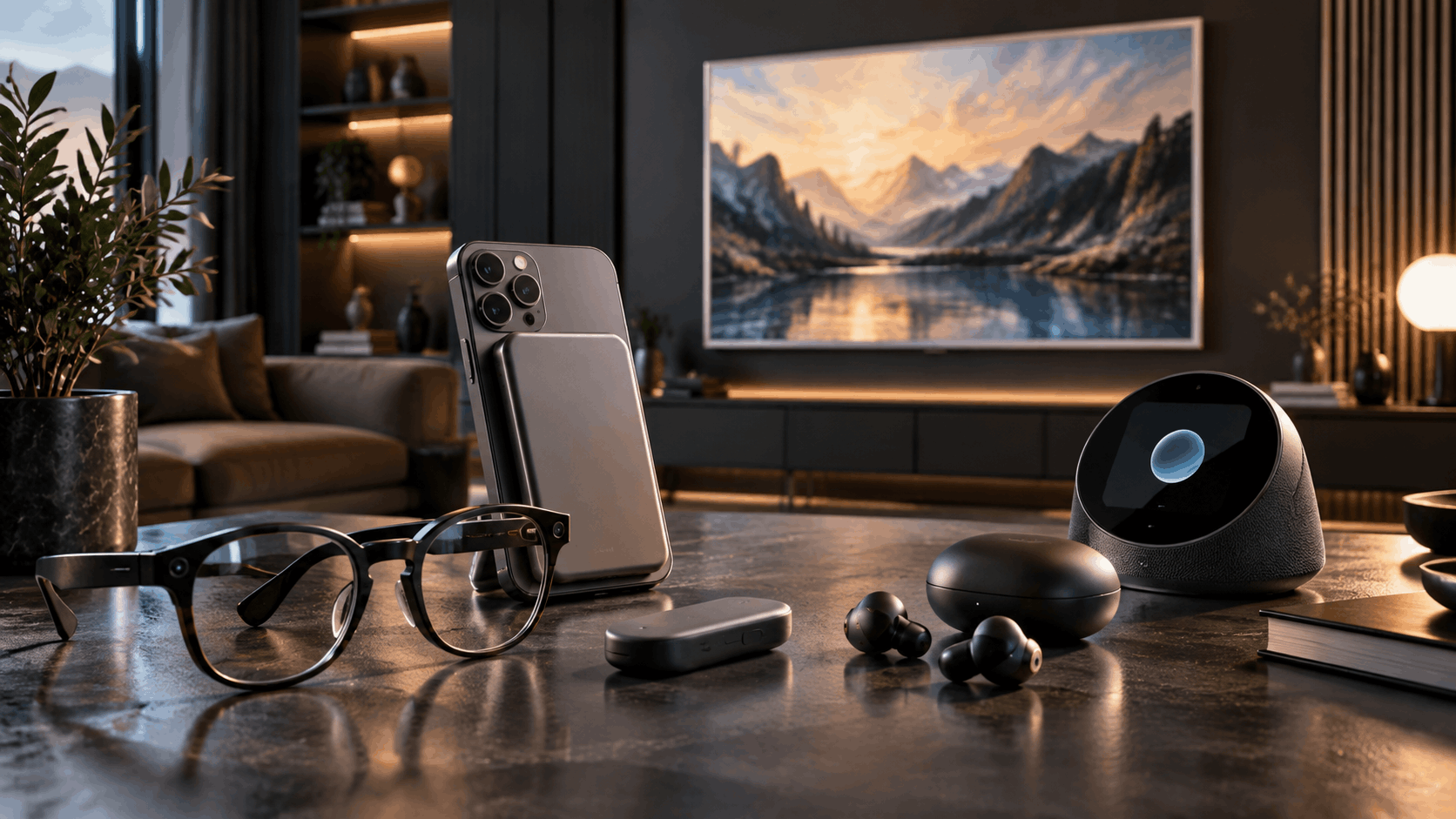
Some of the smartest technology around doesn’t look smart at all. It hides inside an ordinary pair of glasses, sits quietly on a desk and listens, or disappears into your pocket until the moment you need it.
In this roundup, we look at 15 hidden tech gadgets that trade flashy design for quiet usefulness. They range from a clip-on phone screen to a solar power bank that can run a whole workspace off-grid.
Prefer to watch? Watch the full video on YouTube
How we chose these gadgets
We picked products launched or updated in 2025 and 2026 that hide smart features inside everyday-looking designs. Specs and prices come from each manufacturer’s official product page or launch announcement, linked in every section, and we note known limitations so you can judge the trade-offs yourself.
1. Boox Tappy: A Bluetooth Page-Turner Remote for E-Readers
In short: The Boox Tappy is a $29.99 two-button Bluetooth remote that turns e-book pages, scrolls web pages, and controls audiobooks without touching the screen. It works with Boox e-readers and other Bluetooth devices, runs on a rechargeable battery that lasts weeks, and suits anyone who reads with a device on a stand or in bed.
The Boox Tappy fixes a problem you may not have noticed. If you read on a tablet or e-reader, you get comfortable, find the perfect position, and then have to reach out and tap the screen every thirty seconds.

Tappy is a small Bluetooth page-turner remote with two large buttons for turning pages forward and back from across the room. It works with Boox e-readers and other Bluetooth devices. Long-pressing both buttons switches between reading, browsing, and listening modes, so the same two buttons can scroll a web page, skip a track, or pause an audiobook.
The design is deliberately retro, like a tiny typewriter, with chunky tactile buttons you can find in the dark. The rechargeable battery lasts for weeks. It’s a small idea, but once you’ve used it, going back is hard.
Best for: e-book readers, audiobook listeners, and anyone who reads in bed.
Pros:
- Low price for an official accessory
- Works beyond Boox with other Bluetooth devices
- Rechargeable battery that lasts for weeks
Cons:
- Custom button mapping only works on Boox devices
- No USB-C cable in the box
👉 Check price on the official BOOX store
2. Baseus PicoGo: The Slim Magnetic Power Bank That Hides Behind Your Phone
In short: The Baseus PicoGo AM52 is a slim 10,000 mAh magnetic power bank with Qi2.2 certification. It charges phones wirelessly at up to 25W, delivers 45W through USB-C for tablets and light laptops, and can power two devices at once. It suits commuters and travellers who want cable-free charging.
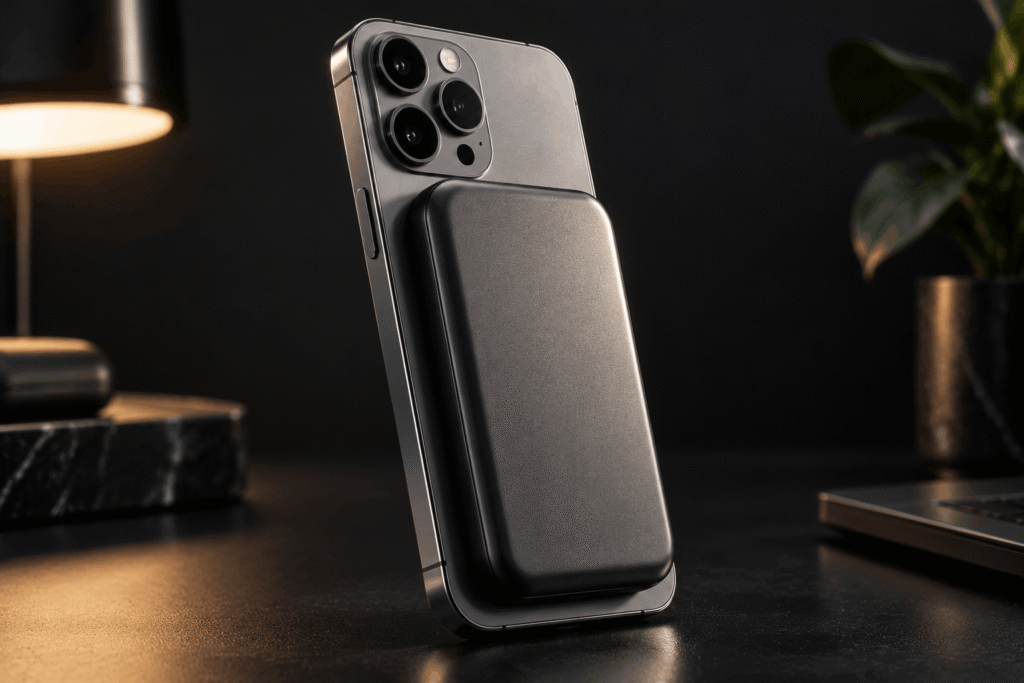
Most portable chargers make you choose between real capacity and something slim enough to carry. The Baseus PicoGo AM52 doesn’t make you choose.
This magnetic power bank is barely thicker than a phone case, yet it holds 10,000 mAh. Strong magnets snap it onto compatible phones with perfect alignment, so there are no cables to fumble with.
Wireless charging runs at 25W through the Qi2.2 standard, fast enough to top up your phone while you’re still using it. Plug into the USB-C port and output rises to 45W, enough for tablets and light laptops. It can also charge two devices at once, one wired and one wireless.
Best for: commuters, travellers, and heavy phone users.
Pros:
- 25W wireless and 45W wired output
- Charges two devices at the same time
- Slim enough to leave attached to your phone
Cons:
- 25W wireless needs an iPhone 16 or 17; iPhone 12 to 15 charge at 15W
- 10,000 mAh won’t fully recharge a laptop
3. Govee Floor Lamp 3: Smart Ambient Lighting for the Whole Room
In short: The Govee Floor Lamp 3 is a smart RGB floor lamp that washes walls in colour across 170 degrees at up to 2,100 lumens. Its LuminBlend+ technology renders smooth, accurate colours from 1,000K to 10,000K, and it works with Matter, so it fits into most smart home setups.

Ambient lighting is one of the easiest upgrades you can make to a room, and the Govee Floor Lamp 3 takes it further than most smart floor lamps.
Instead of pointing a single beam at the ceiling, its dual-sided design spreads light across 170 degrees and washes entire walls in colour. Brightness peaks at 2,100 lumens, enough for a full living room.
The standout feature is Govee’s LuminBlend+ colour technology. Colours shift smoothly from warm candlelight to crisp daylight white without the visible hotspots older lamps suffer from. You can control scenes by voice or app, and the lamp works with Matter and the major smart home platforms.
Best for: living rooms, gaming setups, and smart home enthusiasts.
Pros:
- Bright enough to be a room’s main light
- Wide 1,000K to 10,000K white range
- Matter support for easy smart home setup
Cons:
- Pricier than budget RGB lamps
- Peak 2,100 lumens only at 6,500K white
4. DJI Mic Mini 2: A Tiny Wireless Microphone With Pro-Level Audio
In short: The DJI Mic Mini 2 is a compact wireless microphone system with 11-gram transmitters that record clean 24-bit/48kHz audio. It adds two-level noise cancellation, three voice tone presets, and swappable magnetic colour covers, making it one of the best budget wireless mics for vloggers and interviewers.

Viewers will forgive shaky footage, but they won’t forgive bad sound. That’s why the DJI Mic Mini 2 matters for anyone who films anything.
Each transmitter weighs about 11 grams, so it’s light enough to clip on and forget and small enough to barely show up on camera. Recording quality is 24-bit/48kHz, the professional production standard, so dialogue stays clean and detailed.
Two-level noise cancellation cuts traffic, crowd noise, and room echo while keeping the voice intact. New voice tone presets and swappable magnetic colour covers add personality, and the charging case keeps everything running through long shoots.
Best for: YouTubers, vloggers, podcasters, and interviewers.
Pros:
- Tiny, light transmitters that hide on camera
- Much cheaper than the original Mic Mini
- Connects directly to DJI Osmo cameras
Cons:
- Not yet on sale in the US
- No onboard backup recording (that’s the Mic Mini 2S)
5. myFirst Frame Clario: A Digital Photo Frame and Private Family Hub
In short: The myFirst Frame Clario is a 7-inch digital photo frame that doubles as a private family hub. Approved family members share photos and videos through the myFirst Circle app, children and grandparents can start video calls with one tap, and it also shows calendars, to-do lists, and ambient sleep sounds.

At first glance, the myFirst Frame Clario looks like an ordinary digital picture frame. Spend five minutes with it and its real purpose becomes clear: it’s a closed, private communication hub for families spread across cities or countries.
Photos and videos shared through the myFirst Circle app appear instantly on the 7-inch touchscreen, with no public feeds to scroll. Video calls start with a single tap, which removes most of the barriers for young children and older relatives who struggle with conventional apps.
It also works as a household organiser, showing calendars, reminders, and to-do lists. It can mix ambient soundscapes like rain or ocean waves for sleep or focus too. Among noisy social platforms, it offers something rare: a closed circle.
Best for: long-distance families, grandparents, and young children.
Pros:
- Closed network, so only approved contacts can send content
- One-tap video calls suit kids and older relatives
- Organiser and soundscape features add everyday use
Cons:
- Small 7-inch, 1024 x 600 screen
- Looks more like a smart display than a traditional frame
6. Reeflex Ultra Telephoto 300–600mm: Shoot the Moon With Your Phone
In short: The Reeflex Ultra Telephoto 300–600mm is an add-on optical lens for iPhone Pro and Samsung Galaxy Ultra phones. It extends the phone’s built-in telephoto camera to up to 24x magnification using real glass instead of digital cropping, making wildlife, sports, and moon photography possible from a phone.

Every smartphone brand brags about zoom, but most of that zoom is digital cropping. It throws away detail and calls the result magnification.
The Reeflex Ultra Telephoto 300–600mm takes the honest approach and attaches real optics to your phone’s telephoto camera. With a reach of 300 to 600 mm and up to 24x magnification, it brings distant subjects genuinely closer while keeping them sharp, with the natural compression only true telephoto glass creates.
Wildlife, aircraft, stadium sports, and even the surface of the moon become realistic subjects. Lanthanum optical glass sits inside an aerospace-grade aluminium barrel, and the lens is built for recent iPhone Pro and Samsung Galaxy Ultra models.
There is one catch. At this magnification even a heartbeat shows up as shake, so you’ll want a tripod.
Best for: mobile photographers, birdwatchers, and sky watchers.
Pros:
- True optical reach instead of digital zoom
- Full 48MP capture at 300mm on supported iPhones
- Lanthanum glass in an aluminium barrel
Cons:
- Needs a compatible Reeflex case to mount
- Minimum focus distance of 6.8 metres
- A tripod is close to essential
7. ZIEA One: An AI Desk Calendar That Keeps You Off Your Phone
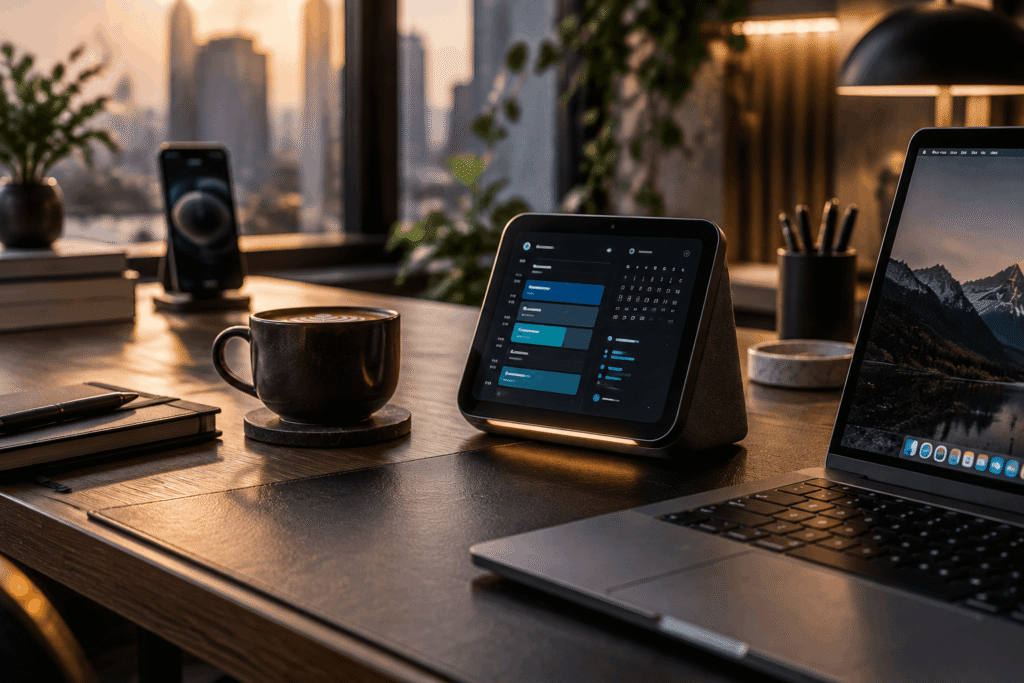
In short: The ZIEA One is an always-on AI desk calendar that syncs Google, Apple, and Outlook calendars into one view. You speak your plans and it builds a daily schedule, shows your next three tasks, and starts one-tap focus sessions. Its base is also a 160W, four-port charging hub.
Checking one appointment on your phone means unlocking a device designed to steal your next forty minutes. The ZIEA One takes the opposite approach and puts your calendar and tasks on a permanent display on your desk. There’s nothing to unlock and nothing to scroll past.
Say your plans out loud and its built-in AI planner turns them into a realistic daily schedule, then shows your next three priority tasks. A one-tap Deep Focus mode puts your phone on Do Not Disturb and starts a Pomodoro timer.
Google, Apple, and Outlook calendars merge into one view. The base doubles as a 160W, four-port charging hub, and in idle mode it becomes a photo frame, so one object replaces three.
Best for: remote workers, students, and anyone trying to cut screen time.
Pros:
- Core planning features need no subscription
- 160W charging hub replaces several chargers
- Keeps your schedule visible without unlocking your phone
Cons:
- Heavier AI and voice use requires a paid tier
- Another device to find space for on your desk
8. Solly 300W Solar Power Bank: A Charger, Wall Plug, and Solar Panel in One
In short: The Solly 300W Solar Power Bank combines a 20,000 mAh solid-state battery, a built-in folding wall plug, and an integrated solar panel. Two 140W USB-C ports can charge two laptops at once, so it replaces a power bank, a wall charger, and a travel adapter in one pocket-sized device.

Ordinary power banks solve one problem and leave you carrying a wall charger and a travel adapter too. The Solly 300W Solar Power Bank folds all three into one pocket-sized device.
It packs 20,000 mAh into a solid-state battery with up to 300W of total output across two 140W USB-C ports and a 20W USB-A port. That’s enough to charge two laptops at once. A folding wall plug is built right into the body, so you can recharge it straight from a socket and leave the extra brick at home.
The key feature is the integrated solar panel. It’s a backup rather than a replacement for the wall, but camping trips, remote shoots, and blackouts no longer have to be a countdown to a dead battery.
Best for: campers, digital nomads, field creators, and emergency preparedness.
Pros:
- Built-in wall plug means no separate charger
- Solid-state battery rated for 3,500+ cycles
- Under the 100Wh airline carry-on limit
Cons:
- Solar adds only around 800 mAh per hour in good sun
- Launched via Kickstarter, so retail availability may vary
9. Samsung Galaxy Buds 4 Pro: Hi-Res Wireless Earbuds
In short: The Samsung Galaxy Buds 4 Pro are $249 noise-cancelling wireless earbuds with a tweeter and a wider woofer. Paired with a compatible Galaxy phone, they stream 24-bit/96kHz Hi-Res audio and unlock live translation and head gestures. On iPhones and other devices they work as standard Bluetooth earbuds.
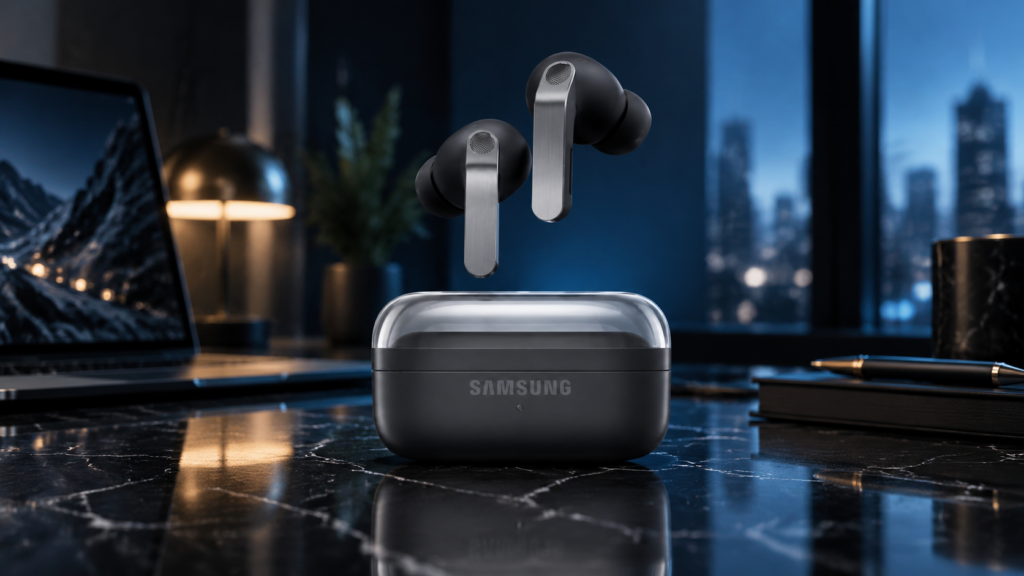
Bluetooth audio has long traded sound quality for convenience. The Samsung Galaxy Buds 4 Pro tackle that directly with 24-bit/96kHz Hi-Res audio on compatible Samsung Galaxy devices.
An upgraded two-way speaker system pairs a tweeter with a new, wider woofer, separating bass, vocals, and detail into distinct layers so they don’t blur together. Adaptive noise cancellation tunes itself to your surroundings instead of running at one fixed level, and the EQ adapts to your ear shape.
Live translation and head gestures cover the smart features, while strong battery life and water resistance make them a solid everyday pair. Note that the Hi-Res and translation features need a Galaxy phone.
Best for: audiophiles, Samsung Galaxy users, and frequent travellers.
Pros:
- Hi-Res 24-bit/96kHz sound on Galaxy devices
- Nearly 20% larger speaker area than Buds 3 Pro
- Adaptive noise cancellation
Cons:
- No LDAC or aptX HD support
- Best features require a Samsung Galaxy device
10. Insta360 Snap: A Magnetic Selfie Screen for Your Phone’s Rear Camera
In short: The Insta360 Snap is a 3.5-inch magnetic touchscreen that clips to the back of your phone and mirrors the rear camera over USB-C. It lets you frame selfies and vlogs with your phone’s best camera, needs no charging, and starts at $79.99, with a $89.99 version that adds a fill light.
Phone front cameras have always used the weaker sensor. That’s why many creators film with the phone turned around and hope the framing works out.
The Insta360 Snap solves this simply. A 3.5-inch magnetic selfie screen clips onto the back of your phone and mirrors the rear camera in real time over USB-C with almost no lag. It draws power from the phone, so there’s nothing to charge.
The screen is fully interactive, so you can switch modes, adjust exposure, and tap to focus directly from it. A Light edition adds an adjustable fill light for indoor filming.
Best for: content creators, vloggers, and selfie-heavy social media users.
Pros:
- Uses your phone’s higher-quality rear camera for selfies
- Draws power from the phone, so nothing to charge
- Wired connection keeps lag very low
Cons:
- Holding the phone backwards can cause accidental taps
- Android phones need USB-C DisplayPort Alt Mode support
11. Revopoint POP 4: A Portable Hybrid 3D Scanner
In short: The Revopoint POP 4 is a handheld, wireless 3D scanner that combines blue laser and near-infrared structured light in one device. It reaches up to 0.03 mm accuracy, handles dark and shiny surfaces without spray, and exports models for 3D printing, reverse engineering, and VR or AR projects.

Turning a physical object into a usable digital model once required expensive equipment and a controlled studio. The Revopoint POP 4 fits that whole process into something you can carry in a bag.
Its hybrid capture system combines blue laser scanning with near-infrared structured light, so it can handle both fine surface detail and larger workpieces without swapping hardware. Accuracy reaches 0.03 mm, precise enough for mechanical parts headed straight to a 3D printer.
Real-time AI object segmentation and tracking help keep captures clean as you move. It also handles materials that usually trip up scanners, including dark surfaces and shiny metal, without scanning spray. A battery grip and Wi-Fi let you scan wirelessly from a phone or tablet.
Best for: makers, engineers, product designers, and 3D printing hobbyists.
Pros:
- Five scanning modes in one device
- Scans dark and reflective objects without spray
- Battery grip and Wi-Fi for wireless scanning
Cons:
- $839 list price puts it beyond casual hobbyists
- Laser modes require placing tracking markers
12. Google Fitbit Air: A Screenless Fitness Tracker
In short: The Google Fitbit Air is a $99.99 screenless fitness band that tracks heart rate, heart rhythm, blood oxygen, HRV, sleep, and workouts around the clock. It works with Android and iPhone through the Google Health app, lasts up to a week per charge, and offers an optional Gemini-powered health coach.

Wearables have spent a decade adding features, and many have become just another screen demanding your attention. Google went the other way with the Google Fitbit Air: it has no display at all.
This lightweight screenless fitness band continuously tracks heart rate, heart rhythm, blood oxygen, HRV, sleep stages, and workouts. It’s small enough that you’ll stop noticing you’re wearing it.
Your data syncs to the Google Health app, and an optional Gemini-powered health coach turns it into personalised tips and training plans instead of raw numbers. Battery life reaches up to a week, and five minutes of fast charging gives a day of use, so the band rarely has to come off for sleep tracking.
Best for: sleep trackers, minimalists, and people who want health insights without notifications.
Pros:
- Affordable price for a screenless tracker
- Up to a week of battery with quick top-ups
- Works with both Android and iOS
Cons:
- The AI health coach needs a Google Health Premium subscription
- No screen, so every stat requires your phone
👉 Check price on the Google Store
13. Samsung The Frame Pro: A 4K TV That Doubles as Wall Art
In short: Samsung The Frame Pro is a Neo QLED 4K TV that displays artwork on a glare-free matte screen when it’s switched off. It supports 144Hz for gaming, and its Wireless One Connect Box sits up to 30 feet away, so only a power cable runs to the wall. Prices start at $2,199.99 for the 65-inch model.

A large black rectangle dominates a room even when nothing is playing. Samsung The Frame Pro was built to solve that.
When it’s off, Art Mode displays paintings and photography on a virtually glare-free matte screen with a picture-frame bezel, which makes it genuinely hard to recognise as a TV. When it’s on, the Neo QLED 4K Mini LED panel handles films, sports, and gaming at up to 144Hz, while Samsung’s AI processor sharpens picture and sound in real time.
The Wireless One Connect Box sits up to 30 feet away and beams your devices to the screen, leaving just a power cable on the wall. It’s furniture that happens to be a television.
Best for: design-conscious homes, living rooms, and art lovers.
Pros:
- Convincing art display with a matte, glare-free screen
- Wireless One Connect keeps the wall almost cable-free
- Mini LED brightness and 144Hz motion
Cons:
- Expensive compared with standard 4K TVs
- Mini LEDs sit at the edge, giving fewer dimming zones than full-array models
14. BOYA Notra: An AI Voice Recorder That Summarises Your Meetings
In short: The BOYA Notra is a magnetic AI voice recorder that captures in-person conversations, phone calls, and Bluetooth earbud audio. It transcribes more than 140 languages, separates speakers, and generates summaries and action items, storing recordings on 64GB of built-in memory.
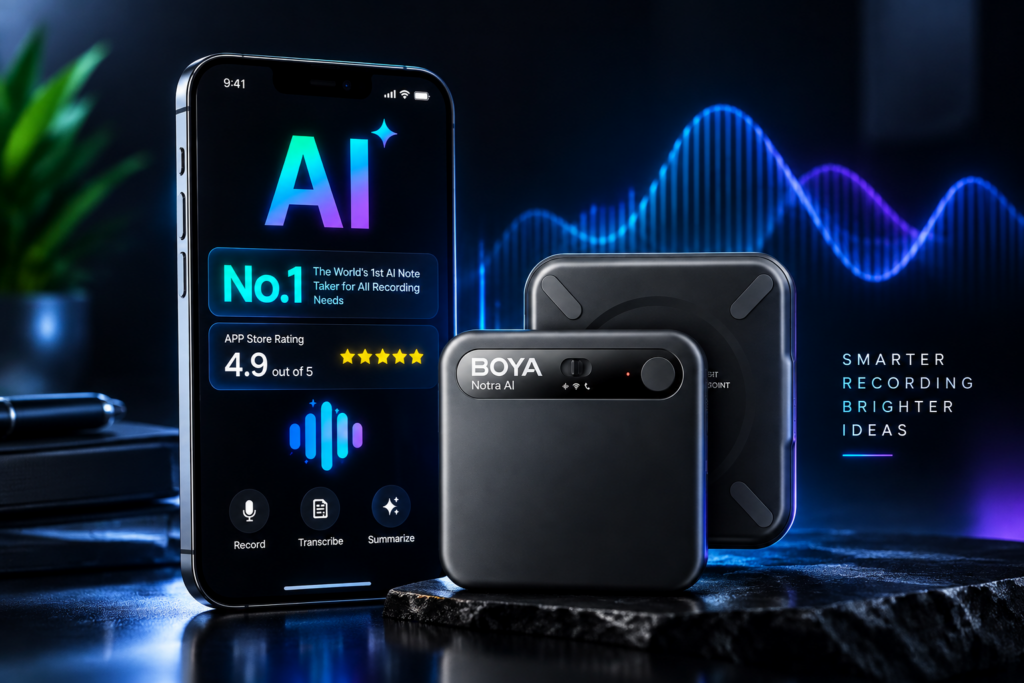
Meetings, lectures, interviews, and sudden ideas share the same weakness: memory is unreliable and note-taking is slow. The BOYA Notra takes a different approach.
For this AI voice recorder, recording is only the first step. It turns what it heard into transcripts, summaries, and action items you can actually use.
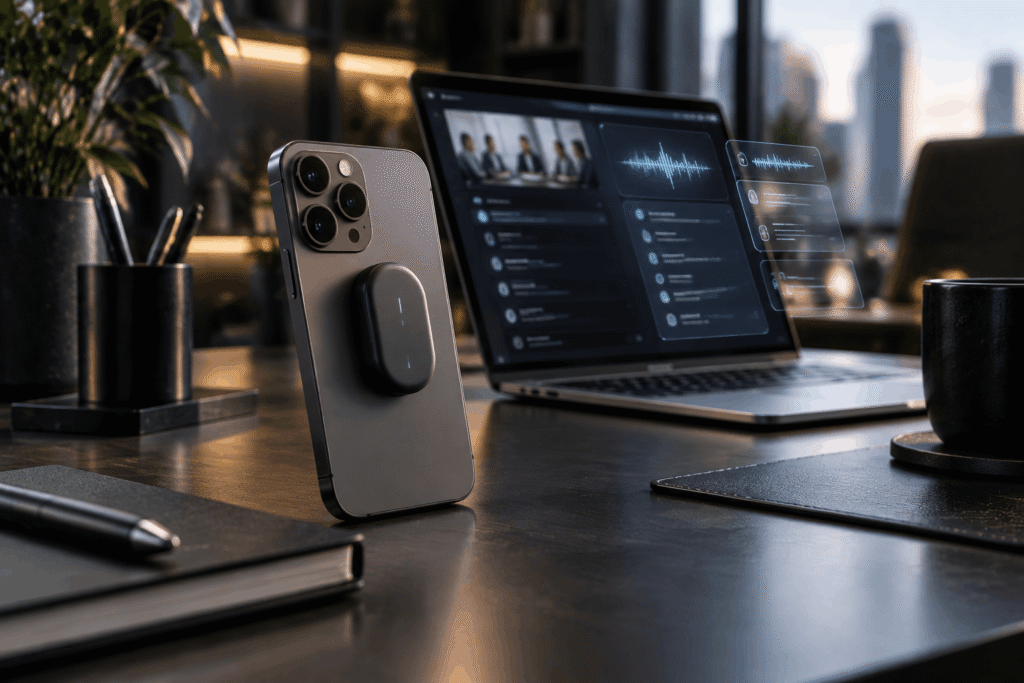
A sliding switch covers in-person conversations, phone calls, and audio routed through Bluetooth earbuds. It transcribes more than 140 languages, labels different speakers, and stores recordings on 64GB of built-in memory. A magnetic body snaps onto the back of your phone, so it goes wherever you do.
Best for: professionals, students, journalists, and researchers.
Pros:
- Three recording modes cover almost every situation
- Transcription in 140+ languages with speaker labels
- Snaps onto the back of a phone
Cons:
- Free plan is capped at 320 transcription minutes a month
- Advanced AI templates need a paid plan
15. L’Atitude 52°N Berlin Smart Glasses: AI Glasses That Look Completely Normal
In short: The L’Atitude 52°N Berlin are $449 AI smart glasses that look like regular navigator-style frames. They hide a 12MP, 107° ultra-wide camera, open-ear speakers, and a Gemini-powered assistant that identifies landmarks and translates conversations. The frames are prescription-ready and water-resistant.

For years, smart glasses looked like what they were: experimental hardware strapped to a face. The L’Atitude 52°N Berlin breaks that pattern. Hold them in your hand and they look like an ordinary, well-designed pair of glasses.
Hidden inside is a 12MP ultra-wide camera with a 107° field of view that captures photos and stabilised 1080p video from exactly where your eyes are pointing. The Goya AI assistant, powered by Google Gemini, identifies landmarks, translates conversations, and answers spoken questions while you’re still looking at the thing you asked about.
Open-ear speakers deliver audio without shutting you off from the world, and a five-microphone array handles calls and voice commands. There’s 32GB of storage in a frame that weighs around 51 grams and is prescription-ready.
Best for: travellers, first-person creators, and early adopters.
Pros:
- Looks like ordinary designer glasses
- Prescription-ready with tinted, polarised, or photochromic lenses
- Recording LED shuts off capture if covered, for privacy
Cons:
- Around 6 hours of battery per charge
- Video tops out at 1080p and 30fps
👉 Check price on L’Atitude 52°N
The Common Thread: Technology That Disappears
What connects these 15 gadgets isn’t raw power. It’s how they disappear. The best new technology isn’t trying to be noticed. It hides in a pair of glasses, a frame on the wall, or behind your phone, and it only shows itself when you need it.
That’s a very different future from the one we were promised, and it may be a better one.
Frequently Asked Questions
What are hidden smart gadgets?
Hidden smart gadgets are devices with advanced features like AI, wireless connectivity, or sensors, built into designs that look like everyday objects. Examples include smart glasses with built-in cameras, TVs that display art, and screenless fitness trackers.
Which smart glasses look like normal glasses?
The L’Atitude 52°N Berlin smart glasses look like a regular pair of glasses while hiding a 12MP camera, open-ear speakers, and a Gemini-powered AI assistant.
What is the best slim magnetic power bank?
The Baseus PicoGo AM52 is a strong pick. It packs 10,000 mAh with 25W Qi2.2 wireless charging and 45W USB-C output into a slim, pocket-friendly body.
Is there a fitness tracker without a screen?
Yes. The Google Fitbit Air is a screenless band that tracks heart rate, blood oxygen, HRV, and sleep, with up to a week of battery life.
Can a phone take real telephoto photos?
With an add-on lens like the Reeflex Ultra Telephoto 300–600mm, a phone’s telephoto camera can reach up to 24x magnification for wildlife, sports, and the moon. A tripod is essential at those focal lengths.
What is the cheapest gadget on this list?
The Boox Tappy is the cheapest at $29.99. The Insta360 Snap ($79.99) and Google Fitbit Air ($99.99) are the next most affordable picks.
Which of these gadgets work with an iPhone?
The Baseus PicoGo, Reeflex Ultra Telephoto, Insta360 Snap, Google Fitbit Air, BOYA Notra, and L’Atitude 52°N Berlin glasses all work with recent iPhones. The Galaxy Buds 4 Pro connect to iPhones over Bluetooth, but their Hi-Res audio and translation features need a Samsung Galaxy device.
Do any of these gadgets need a subscription?
Most work without one. The Fitbit Air’s AI health coach needs Google Health Premium, the ZIEA One offers optional paid tiers for heavier AI use, and the BOYA Notra’s free plan includes 320 transcription minutes a month before you need to upgrade.
What is the best AI gadget for productivity?
For planning your day, the ZIEA One AI desk calendar is the strongest pick. For meetings and lectures, the BOYA Notra AI voice recorder turns conversations into transcripts, summaries, and action items.
What are the best smart gadgets for travel?
The Solly 300W Solar Power Bank, Baseus PicoGo, and L’Atitude 52°N Berlin smart glasses are the best travel picks. Together they cover charging anywhere, cable-free phone top-ups, and hands-free photos with live translation.
Which of these gadgets would you actually buy, and which one is a solution looking for a problem? Tell us in the comments. For a new tech discovery every week, subscribe to The Hidden Secrets on YouTube.